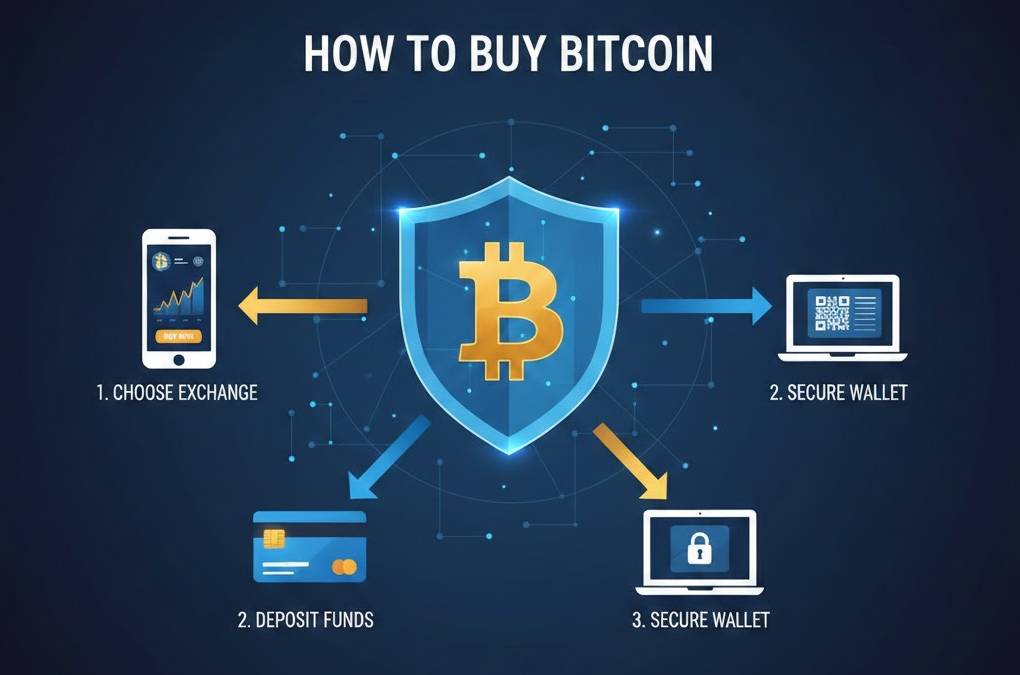
How to Buy Bitcoin: Step-by-Step Guide for Beginners
Complete step-by-step guide to buying Bitcoin. Learn how to choose an exchange, create an account, verify identity, and purchase your first Bitcoin securely.
How to Buy Bitcoin: Step-by-Step Guide for Beginners
Buying Bitcoin is easier than ever. This comprehensive guide walks you through choosing an exchange, setting up an account, and making your first Bitcoin purchase safely and securely.
Before You Buy Bitcoin
Before making your first Bitcoin purchase, take time to understand what you're buying and the risks involved.
Understand Bitcoin
Make sure you understand what Bitcoin is and how it works. Read our guide on Bitcoin Basics to get up to speed. Don't invest in something you don't understand.
Determine Your Investment Amount
Decide how much you're willing to invest. Bitcoin is volatile, so only invest money you can afford to lose completely. Many experts recommend starting with a small amount—even $10-50 is enough to learn the process.
Understand the Risks
Bitcoin's price can fluctuate wildly. You could lose your entire investment. It's also a relatively new asset with unpredictable regulation. Be prepared for volatility.
Secure Your Devices
Ensure your computer and phone have current antivirus protection and security updates. Don't buy Bitcoin on public WiFi or unsecured networks.
Step 1: Choose a Bitcoin Exchange
The first step is selecting a cryptocurrency exchange where you can buy Bitcoin. Several reputable options exist, each with different features and fee structures.
Popular Bitcoin Exchanges
| Exchange | Fees | Best For | Countries |
|---|---|---|---|
| Coinbase | 1.49% - 3.99% | Beginners | 100+ |
| Kraken | 0.16% - 0.26% | Traders | 190+ |
| Binance | 0.1% - 0.55% | High volume | 180+ |
| Gemini | 1.49% - 1.99% | Security | 40+ |
| Cash App | 1.5% - 2% | Mobile users | US only |
Criteria for Choosing an Exchange
Security
Choose an exchange with a strong security track record. Look for features like two-factor authentication (2FA), cold storage of funds, and insurance coverage. Check if the exchange has been hacked historically.
Reputation
Research the exchange's reputation. Read reviews on trusted sites and check social media. Look for regulatory compliance and any legal issues.
Fees
Compare fee structures. Some charge flat percentages, others charge tiered fees based on volume. Factor in fees for buying, withdrawing to your wallet, and any other transactions.
Payment Methods
Check which payment methods the exchange accepts: credit card, debit card, bank transfer, PayPal, etc. Different methods have different fees and processing times.
Supported Countries
Ensure the exchange operates in your country. Regulatory restrictions vary by location.
User Interface
As a beginner, choose an exchange with an intuitive interface. Coinbase and Cash App are known for beginner-friendly designs, while Kraken and Binance are more advanced.
Customer Support
Good customer support is crucial if you encounter problems. Check if the exchange offers email support, live chat, and responsive help.
Step 2: Create an Account
Once you've chosen an exchange, it's time to create an account.
Sign Up
Visit the exchange's official website and click "Sign Up" or "Register." Use the actual website URL, not a link from email or social media (to avoid phishing). If possible, bookmark the site.
Enter Your Email and Password
Provide your email address and create a strong, unique password. Use a password manager to generate and store a complex password (at least 16 characters with letters, numbers, and symbols).
Verify Your Email
The exchange will send a verification email. Click the link to confirm your email address. This proves you have legitimate access to the email account.
Enable Two-Factor Authentication (2FA)
This is crucial for security. 2FA requires you to provide two pieces of evidence to log in: your password and a code from an app (Google Authenticator or Authy) or your phone number (SMS). Enable this immediately.
Step 3: Complete Identity Verification
All regulated exchanges require Know Your Customer (KYC) verification for legal compliance. This involves proving your identity.
Provide Personal Information
Enter your full name, date of birth, address, and phone number. Make sure this information is accurate—it will be checked against official records.
Submit Identification Documents
You'll need to upload a government-issued ID, such as:
- Passport
- Driver's license
- National ID card
- Residence permit
Proof of Address
You may need to provide proof of address, such as:
- Utility bill
- Bank statement
- Government mail
- Lease agreement
Face Verification
Some exchanges require facial recognition verification. You'll take a selfie or video to prove you're the person in your ID documents.
Wait for Approval
Verification typically takes minutes to hours, though it can take longer during high volume periods. You'll receive an email when your account is verified.
Step 4: Add a Payment Method
Now that your account is verified, you need to add a payment method to fund your purchase.
Bank Transfer
Advantages: Lowest fees, largest amounts allowed
Disadvantages: Slowest (3-5 days), requires bank details
Process: Link your bank account by providing account and routing numbers. Verify small deposits the exchange sends to your account, then link permanently.
Credit/Debit Card
Advantages: Fast (instant to minutes), convenient
Disadvantages: Highest fees (2-5%), lower limits
Process: Enter your card number, expiration date, CVV, and billing address. Some cards decline crypto purchases due to risk assessment.
Other Payment Methods
Some exchanges also accept PayPal, Apple Pay, Google Pay, and wire transfers. Each has different fees and processing times.
Step 5: Buy Your First Bitcoin
Now for the exciting part—making your first Bitcoin purchase!
Navigate to Buy Bitcoin
On your exchange dashboard, find the "Buy" or "Trade" section. Select Bitcoin (BTC) as the currency you want to buy.
Enter the Amount
You can buy Bitcoin in two ways:
- By fiat amount: Enter how much USD/EUR/GBP you want to spend (e.g., $100), and the exchange shows you how much Bitcoin that buys
- By Bitcoin amount: Enter how much Bitcoin you want (e.g., 0.5 BTC), and the exchange shows the cost
For your first purchase, start small. Even $10-50 is enough to learn the process.
Review the Details
Before confirming, review:
- Amount in fiat currency (how much you're spending)
- Amount in Bitcoin (what you'll receive)
- Current Bitcoin price
- Fees (transaction costs)
- Total cost
Confirm and Complete
Click "Buy Bitcoin" or "Confirm." You may need to enter your 2FA code. The transaction will be processed, and you'll see your Bitcoin appear in your exchange wallet.
Check Your Purchase
Your exchange dashboard should show your Bitcoin balance. You'll also receive a confirmation email with transaction details.
Step 6: Store Your Bitcoin Safely
While your Bitcoin is on the exchange, it's convenient but potentially risky. For security, consider moving it to a personal wallet.
Options for Storing Bitcoin
Keep It on the Exchange
Pros: Convenient for trading, easy access
Cons: Risk if exchange gets hacked, you don't control the private keys
Best for: Active traders or beginners learning about crypto
Use a Software Wallet
Pros: You control your private keys, relatively secure
Cons: Can be hacked if your device is compromised
Best for: Regular users with moderate amounts
Popular options: Exodus, Electrum (desktop) or Trust Wallet, BlueWallet (mobile)
Use a Hardware Wallet
Pros: Maximum security, keys kept offline
Cons: Costs $50-150, less convenient
Best for: Long-term holding or large amounts
Popular options: Ledger, Trezor
How to Transfer Bitcoin from Exchange to Wallet
Here's the basic process:
- Open your personal wallet and find your Bitcoin address (a long string of characters)
- Copy your Bitcoin address
- On the exchange, find "Withdraw" or "Send"
- Paste your wallet address
- Enter the amount of Bitcoin to transfer
- Review the details and confirm (may need 2FA code)
- The transaction will process (usually within 10-30 minutes for Bitcoin)
Common Mistakes to Avoid
Sending to the Wrong Address
Bitcoin transactions are irreversible. If you send to the wrong address, your Bitcoin is lost. Always double-check addresses by copying-and-pasting, never typing manually.
Falling for Phishing Scams
Scammers create fake exchange websites. Always verify the URL in your browser, use bookmarks, and be suspicious of unsolicited emails asking you to log in.
Using Weak Security
Always enable 2FA and use strong, unique passwords. Never reuse passwords across different sites.
Panic Selling or Buying
Don't make emotional trading decisions based on price swings. Develop a plan and stick to it.
Ignoring Fees
Be aware of all fees: purchase fees, withdrawal fees, trading fees. On small purchases, fees can significantly reduce your profit.
Tax Considerations
In most countries, buying and selling Bitcoin has tax implications:
- Capital gains tax: When you sell Bitcoin at a profit, you may owe capital gains tax
- Income tax: Earned Bitcoin from mining or staking is typically taxed as income
- Record keeping: Keep detailed records of all purchases and sales (price, date, amount)
Consult a tax professional in your jurisdiction for specific guidance.
What to Do After Your Purchase
Monitor Your Investment
Track the price of Bitcoin, but don't obsess over daily fluctuations. Set price alerts if you want notifications at specific price points.
Keep Learning
Continue educating yourself about Bitcoin, blockchain, and cryptocurrency. Read our articles on Blockchain Explained and What Are Cryptocurrencies.
Secure Your Keys
If you've moved Bitcoin to a personal wallet, securely store your seed phrase (the 12-24 word backup). Write it on paper and store it in multiple safe locations.
Stay Informed
Follow crypto news sources to stay updated on Bitcoin developments, regulatory changes, and market trends.
Getting Help and Support
If you encounter problems during the process:
- Exchange support: Contact the exchange's customer service (email, live chat, etc.)
- Community forums: Reddit communities like r/bitcoin offer peer support
- Educational resources: Check Bitcoin.org and your exchange's help center
- Official sites: Only use official websites; be cautious of third-party tutorials
Conclusion
Buying your first Bitcoin is an exciting step into the world of cryptocurrency. The process is straightforward: choose an exchange, verify your identity, add a payment method, and make your purchase. Remember to start small, use strong security practices, and store your Bitcoin safely.
Whether Bitcoin becomes a significant part of your investment portfolio or just an experiment in understanding cryptocurrency, you're now part of the Bitcoin network. Welcome to the future of money!
For information about Bitcoin wallets and keeping your Bitcoin secure, check out our Crypto Wallets guide.